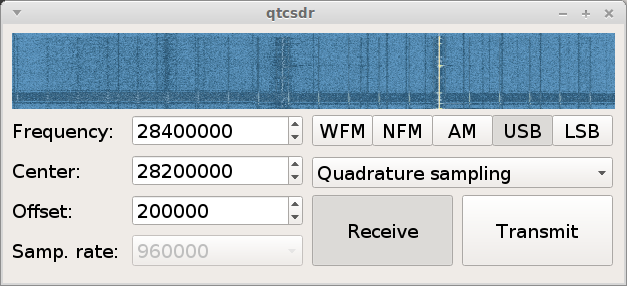
After updating the post were I was using the RPI and a RTL-SDR dongle to create a Server for those that wanted to listen to the WRC Repeater, I stumbled upon the blog of the creator of OPENWEBRX and found a nifty article and library that allows you to use an RTL-SDR and a RPI as a transceiver, here is the github repo.
Lets get started, you will need an RPI 2 or 3 and an RTL-SDR Dongle after imaging your SD card with a copy of Debian Jessie set the RPI to overclock “medium” of course you must have some kind of cooling for the chips, amazon has RPI Heat sinks for sale that you can use. After this go right ahead and from within the home run the following code.
sudo apt-get update && sudo apt-get upgrade && reboot
This will update and upgrade your RPI.
Once it has been updated we can move onto adding the software needed. Run the following commands one by one , adding a “Y” for yes every time the Pi asks for more disk space.
git clone https://github.com/ha7ilm/qtcsdr

cd qtcsdr

./rpi-install.sh

./rpi-test.sh
If you run into trouble and need to do some troubleshooting go ahead and reference the well written Github repo
Credit of course goes to ha7ilm for his contributions towards the SDR community.
………… I almost forgot after installing it and you need to run it once more go ahead and cd into the qtcsdr directory then run the shell script ./rpi-test.sh ENJOY!
Also this is done via SSH, if you are in windows you can use PUTTY and if you are in Mac OSX or Linux simply run the Terminal.